
Download ChatLegal – AI‑Powered Legal Assistant for Fast, Secure Help
Overview: What ChatLegal Brings to the Table
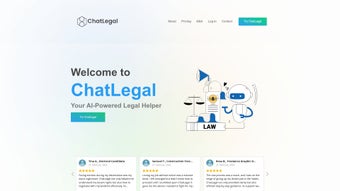
ChatLegal is a cloud‑based AI‑driven legal assistant that aims to democratise access to legal knowledge. Built on large‑language‑model technology, the platform delivers instant, context‑aware answers to a broad spectrum of legal queries—from employment disputes and family law to immigration, civil rights, and intellectual property. Its 24/7 availability means users never have to wait for office hours to get a preliminary understanding of their situation.
While it does not replace a qualified attorney, ChatLegal acts as a powerful research companion, allowing individuals, startups, and seasoned legal professionals to triage issues, draft documents, and perform quick case‑law checks before engaging deeper legal counsel. The interface is web‑first, meaning it runs smoothly in any modern browser without the need for heavyweight installations. Security is baked in: all conversations are encrypted in transit, and data retention policies comply with GDPR and CCPA standards, giving users confidence that sensitive information stays private.
By offering a free tier with limited daily queries and a reasonably priced premium plan for unlimited usage, ChatLegal balances accessibility with a sustainable business model. In short, the tool simplifies the often‑intimidating world of law, turning complex statutes into bite‑size, understandable guidance that empowers users to make informed decisions quickly. Moreover, the platform continuously learns from user interactions, improving answer relevance over time while adhering to strict ethical guidelines that prevent the generation of misleading or illegal advice.
This combination of speed, security, and ongoing refinement makes ChatLegal a compelling option for anyone who needs reliable legal insight without the traditional barriers of cost and time.
Core Features & Benefits
- Real‑time AI chat: Get instant answers to legal questions, powered by a large‑language model trained on up‑to‑date statutes and case law.
- Multi‑domain coverage: Handles employment, family, immigration, civil rights, IP, and business law topics.
- Document drafting assistant: Generates first‑draft contracts, NDAs, cease‑and‑desist letters, and more based on user prompts.
- Legal research shortcuts: Summarises relevant case law, statutes, and regulations, saving hours of manual research.
- Business toolkit: Guides entrepreneurs through entity formation, compliance checklists, and employee handbook creation.
- Secure data handling: End‑to‑end encryption, GDPR/CCPA compliance, and optional self‑destruct timers for sensitive chats.
- Multi‑platform access: Works on Windows, macOS, Linux, Android, and iOS via a responsive web UI.
- Tiered pricing: Free tier (5 queries/day) and Premium tier (unlimited queries, priority response, advanced document templates).
- Continuous updates: Weekly model refinements ensure the latest legal developments are reflected.
- Integrations: Export drafts to Google Docs, Microsoft Word, or PDF with one click.
Why Those Features Matter
Instant AI chat eliminates the waiting period that typically accompanies a phone call to a law firm, enabling users to gauge the seriousness of an issue before committing to paid counsel. Multi‑domain coverage consolidates what would otherwise require several specialised services into a single, affordable subscription. The document drafting assistant reduces the need for repetitive boilerplate work, freeing up time for higher‑value activities like negotiation or strategy.
For startups, the business toolkit translates complex regulatory requirements into actionable steps, dramatically cutting legal onboarding costs. Security‑first design reassures users that confidential details—such as personal identifiers or contract terms—remain protected, a critical factor for both individuals and corporate clients. Finally, the cross‑platform nature means you can get legal help from a desktop at work, a tablet at home, or a phone while on the go, all without worrying about compatibility issues.
Each feature is deliberately engineered to remove friction, lower expenses, and increase confidence when dealing with legal matters, making ChatLegal not just a tool but a strategic partner in everyday decision‑making.
Installation, Usage & Compatibility
Getting Started in Minutes
Because ChatLegal is a web application, there is no traditional “installation” process. Users simply navigate to chatlegal.com, create a free account, and begin chatting. For those who prefer a desktop shortcut, browsers allow you to “Add to Home screen” (Chrome, Edge) or “Create Application” (Safari) which launches ChatLegal in a dedicated window, mimicking a native app experience. This approach eliminates the need for lengthy setup wizards, reduces disk usage, and guarantees that you always run the latest version without manual updates.
Step‑by‑Step Walkthrough
- Sign‑up: Provide an email address, set a strong password, and verify via the confirmation link. You can also opt‑in for two‑factor authentication to add an extra security layer.
- Select a plan: Choose the free tier or upgrade to Premium through Stripe or PayPal. The premium upgrade is instantaneous, and the new limits take effect immediately.
- Configure preferences: Set language, jurisdiction (US, UK, EU, etc.), and enable “self‑destruct” for extra privacy on sensitive conversations.
- Start a conversation: Type a question such as “What are the steps to register an LLC in California?” and hit Enter. The AI will respond within seconds, offering a concise overview followed by optional deeper dive links.
- Refine the output: Use follow‑up prompts like “Add a clause about non‑compete” or “Explain the tax implications” to tailor generated documents to your exact needs.
- Export or share: Click the export icon to download a PDF, Word doc, or copy the text to your clipboard. You can also share a secure, time‑limited link with collaborators.
Operating System Support
ChatLegal is fully compatible with all major operating systems that support modern browsers, including Windows 10/11, macOS 12+, Linux distributions (Ubuntu, Fedora, etc.), Android 8+, and iOS 13+. The responsive design automatically adjusts layout for tablets and smartphones, ensuring a smooth experience regardless of screen size. Because it runs entirely in the browser, there are no separate binaries to download, which also means you benefit from automatic security patches delivered by the browser vendor.
Troubleshooting Common Issues
If the chat interface appears blank, clear your browser cache or try an incognito window. For authentication problems, ensure that two‑factor authentication (if enabled) is correctly set up and that you are using the latest browser version. Premium users experiencing throttling should verify that their subscription is active; otherwise, contact support via the “Help” button in the lower‑right corner. Because the platform relies on a stable internet connection, a slow or intermittent network may cause delayed responses; in such cases, switching to a wired connection or a higher‑bandwidth Wi‑Fi network often resolves latency. In the rare event of a service outage, the status page (linked from the footer) provides real‑time updates and estimated restoration times.
Pros, Cons & Frequently Asked Questions
Pros
- Instant, 24/7 access to legal information without waiting for office hours.
- Broad coverage across multiple legal domains reduces the need for separate tools.
- Secure, GDPR‑compliant data handling protects user privacy.
- Free tier available for occasional users; affordable premium pricing for power users.
- Exportable documents integrate seamlessly with existing workflows.
- Responsive web design works on any device, eliminating platform lock‑in.
Cons
- AI‑generated answers are not a substitute for professional legal counsel; nuanced cases still require a lawyer.
- Limited offline capability; an internet connection is mandatory.
- Free tier imposes a daily query limit, which may be restrictive for heavy users.
- Complex jurisdictional nuances (e.g., state‑specific statutes) may occasionally be oversimplified.
- Reliance on third‑party cloud services means you must trust the provider’s uptime and security practices.
FAQ – Your Quick Reference
Is ChatLegal suitable for criminal law matters?
ChatLegal can provide general information about criminal law, such as explaining common charges or procedural steps. However, it is not designed to replace a criminal defence attorney, and users should consult a qualified lawyer for any active criminal case.
How does the AI stay up‑to‑date with new legislation?
The underlying language model is refreshed weekly with curated legal databases, court opinions, and statutory updates from reputable sources. Premium users receive the latest model version automatically.
Can I export a conversation as a legal brief?
Yes. After a session, click the “Export” button to download the entire chat in PDF, Word, or plain‑text format. The export includes timestamps and can be attached to client files or court filings where appropriate.
What security measures protect my data?
All communications are encrypted using TLS 1.3. Chat logs are stored for a maximum of 30 days unless the user opts for longer retention. Users can enable a self‑destruct timer that automatically deletes a conversation after a set period.
Is there a mobile app for ChatLegal?
ChatLegal is a responsive web app, so there is no native iOS or Android download required. However, you can create a home‑screen shortcut on your phone for a near‑app experience.
How does the free tier differ from the premium plan?
The free tier grants up to five queries per day, access to basic document templates, and standard response times. The premium plan removes query limits, unlocks advanced templates, provides priority processing, and offers additional security options such as extended log retention.
Conclusion & Call to Action
ChatLegal bridges the gap between costly legal consultations and the need for immediate, reliable guidance. By harnessing AI, it delivers fast, secure answers across a wide range of legal topics while maintaining strict privacy standards. Whether you’re an individual seeking clarity on a divorce filing, a startup navigating incorporation, or a seasoned attorney looking for a quick research assistant, ChatLegal offers a flexible solution that scales with your needs. The free tier makes it easy to test the waters, and the affordable premium plan unlocks unlimited queries, advanced document templates, and priority support. While it should never replace professional counsel for complex or high‑stakes matters, it serves as an invaluable first‑line resource that can save time, reduce costs, and empower users to make more informed decisions.
Ready to experience AI‑driven legal assistance? Download ChatLegal now, start your free trial, and see how a smarter legal workflow can transform the way you handle legal challenges.
Pros
- Instant 24/7 support
- Secure, GDPR‑compliant
- Broad legal coverage
- Easy export of documents
- Reasonable pricing
Cons
- Not a substitute for a lawyer in complex matters
- Requires internet connection
- Free tier query limits



.png)



